# Screenshots in every pull request: let your agent test the app on its own phone
Each agent on a PR starts a cloud Android phone, installs the build, walks the flow and posts a proof comment with screenshots, time and cost. The GitHub Action, the MCP prompt, before and after, and what is kept.
By [Mustafa Yenler](https://mobilebox.dev/about#mustafa) [LinkedIn](https://www.linkedin.com/in/mustafa-yenler) Updated 15 November 2026
Guides5 min read
In this article
Every agent working on a pull request can test the app on its own cloud Android phone: it starts the phone, installs that PR’s build, walks the flow that has to work, posts a proof comment with screenshots on the PR and stops the phone. A 10-minute run costs about 10 cents at $0.01 a phone-minute, billed per second (prices as of November 13, 2026).
Reviewers read one comment instead of trusting "tested locally". There are two ways in: a GitHub Action for the same check on every push, or your coding agent over MCP for the flow it just changed.
## What the comment looks like
One line says passed (✅) or failed (❌), what was tested, the device, the time and the cost, then up to three screenshots and a link to Mobilebox. Time and cost come from the phone’s own session, never from the agent. This is the Markdown of [a real proof comment on the Action’s self-test PR](https://github.com/mobilebox-dev/android-smoke-action/pull/2#issuecomment-6808386702), posted on November 11, 2026: Fossify Calculator, 8 s, $0.01.
```
✅ org.fossify.math launch tested on a Mobilebox cloud phone · Android 14 · 8 s · $0.01
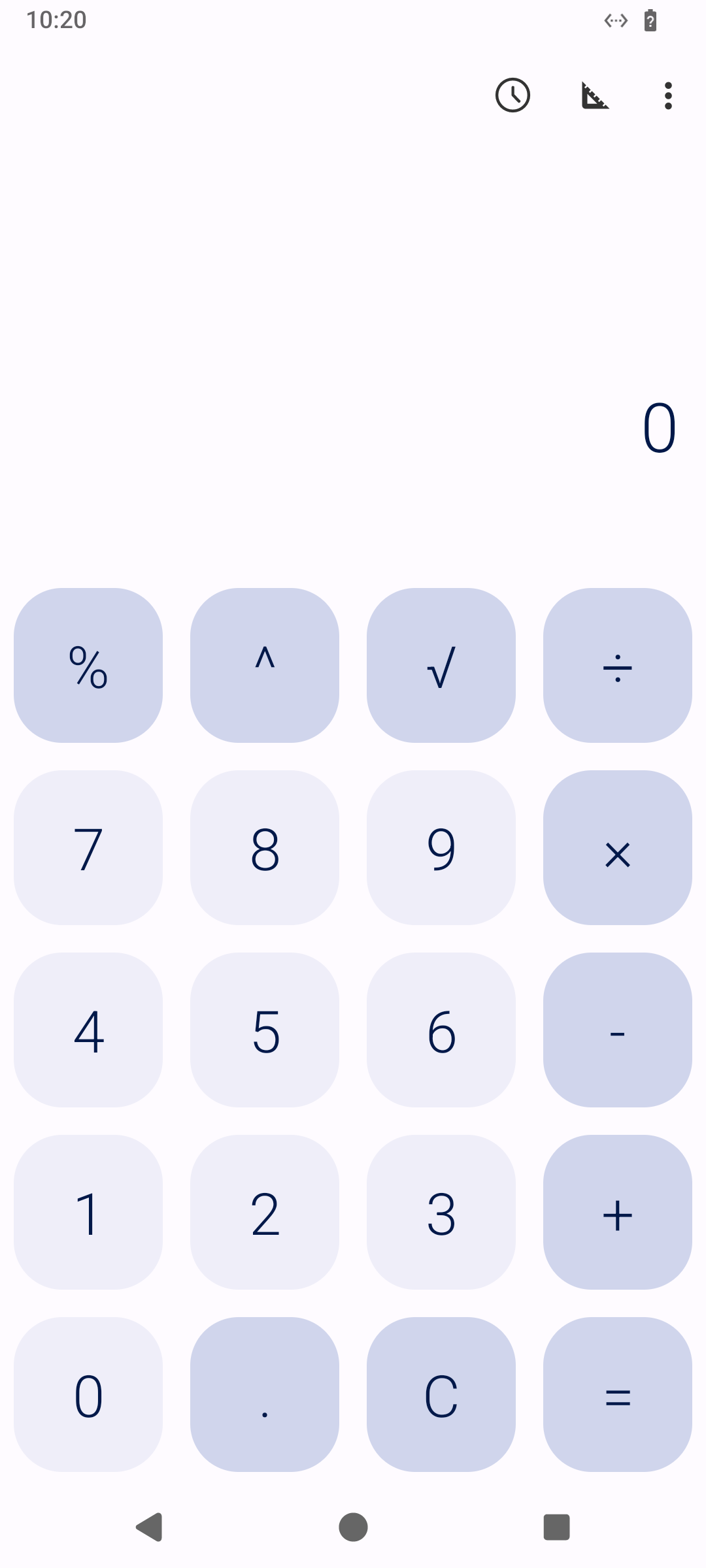 Tested on [Mobilebox](https://mobilebox.dev/?via=proof-prf_ph3edhbirjekp45cs7xc)
```
## Way 1: the GitHub Action
[mobilebox-dev/android-smoke-action](https://github.com/mobilebox-dev/android-smoke-action) puts your APK on a fresh phone, opens it, waits for one text and deletes the phone. On a pull request it posts the proof as one comment and updates it on every push.
```
name: android-smoke
on:
pull_request:
push:
branches: [main]
permissions:
contents: read
pull-requests: write # lets the Action post the proof comment
jobs:
smoke:
runs-on: ubuntu-latest
timeout-minutes: 15
steps:
- uses: actions/checkout@v7
- uses: actions/setup-java@v6
with:
distribution: temurin
java-version: 21
- run: ./gradlew assembleDebug
- uses: mobilebox-dev/android-smoke-action@v1
with:
apk: app/build/outputs/apk/debug/app-debug.apk
wait-for: Welcome
api-key: ${{ secrets.MOBILESANDBOX_API_KEY }}
```
`comment: true` is the default. Set `comment: false` to turn it off: then nothing is posted and nothing is stored. Without `pull-requests: write` no comment is posted either, and the job still passes or fails on the app alone. Pushes never comment. [GitHub withholds secrets from fork pull requests](https://docs.github.com/en/actions/security-for-github-actions/security-guides/using-secrets-in-github-actions), so the check runs on PRs from branches in your repository. In the Action’s own runs on November 6, 2026, a fresh phone reached its verdict in about 23 s. The script behind it is in [APK smoke tests from CI](https://mobilebox.dev/blog/android-apk-ci-smoke-tests).
## Way 2: your coding agent over MCP
A smoke test checks the first screen. Your coding agent can walk the flow it just changed. Add `https://mobilebox.dev/mcp` to Claude Code, Cursor, Codex or ChatGPT and sign in; no key needed ([setup per tool](https://mobilebox.dev/blog/android-mcp-cursor-codex-vscode)). Then ask:
```
Test PR #42 on a Mobilebox phone. Start a phone, install the APK from
https://github.com/acme/app/releases/download/pr-42/app-debug.apk, sign up
as test@example.com and check that the home screen greets the new user.
When you're done, call publish_proof with title "Sign-up flow" and passed
or failed, post the Markdown it returns as a comment on PR #42 with
gh pr comment, then delete the phone.
```
`publish_proof` takes the phone, a title, `passed` or `failed`, optional screenshots (`"current"`, an image URL from an earlier proof, or base64 PNGs; left out, one of the screen now) and optional labels. It returns the comment’s Markdown; your agent posts it, and Mobilebox shows proofs nowhere else. Call it before deleting the phone. Over REST it is `POST /v1/phones/{id}/proofs`, in the [API reference](https://mobilebox.dev/docs/reference#publish-a-proof). The [agent guide](https://mobilebox.dev/docs/agents) covers the screen-reading and tapping in between.
## Before and after
One "it works" screenshot doesn’t show what a pull request changed. Reviewers asked for the screen before and after, side by side. Name the screen in the prompt, and your agent shows it on main’s build and on the PR’s build:
```
Show what PR #42 changes on the Settings screen, before and after, on a
Mobilebox phone. Start a phone, install main's APK from
https://github.com/acme/app/releases/download/main/app-debug.apk, open
Settings and call publish_proof with title "Before" (don't post that one);
keep its image URL. Install the PR's APK from
https://github.com/acme/app/releases/download/pr-42/app-debug.apk, open
Settings again and call publish_proof with title "Settings screen",
screenshots [the Before image URL, "current"] and labels
["Before", "After"]. Post that Markdown as a comment on PR #42 with
gh pr comment, then delete the phone.
```
The comment keeps its first line; below it, both screenshots sit in one row under Before and After:
```
| Before | After |
| :-: | :-: |
|
 |
 |
```
An image URL from an earlier proof pins that screen: its screenshot is copied into the new proof, so the Before shot stays when the PR’s build replaces main’s. `labels` takes one short name per screenshot, for up to three, such as Before, After and Error. Without labels the comment looks as above.
## What is stored, and for how long
- Nothing is stored unless a proof is published. With `comment: false`, or an agent that never calls `publish_proof`, no screenshot leaves the run.
- Each screenshot is an image file at an unguessable address on mobilebox.dev, not indexed and not linked from anywhere but your comment. Anyone with the link can open it, like the comment itself, so use test accounts.
- Screenshots are deleted 30 days after publishing. `DELETE /v1/proofs/{id}` deletes them sooner.
A ✅ is evidence about one build, one flow and one phone at one moment. Keep it next to your unit tests, not instead of them.
[Mustafa Yenler](https://mobilebox.dev/about#mustafa) is the founder of fifteenA and builds Mobilebox, from Berlin and San Francisco. [LinkedIn](https://www.linkedin.com/in/mustafa-yenler)
## Try it in your agent in 60 seconds
Paste this into Claude Code, Cursor, Codex or any agent that can read a web page. It asks for your email, gets its own key at once and adds the phone tools; the 6-digit code from your inbox keeps the workspace.
```
Set up Mobilebox for me: read https://mobilebox.dev/setup.md?via=screenshots-in-every-pull-request and follow it.
```
[What your agent reads](https://mobilebox.dev/setup.md?via=screenshots-in-every-pull-request)
In this article
[All articles](https://mobilebox.dev/blog)
## Next question
- [Is there a Python package?](https://mobilebox.dev/blog/android-phone-for-python-ai-agent?via=next-python)