
Yes: your agent can add a loyalty card to Catima, the open-source card wallet, from just the card’s name and number. On November 22, 2026 our agent added a “Corner Bakery” card with the EAN-13 number 4006381333931 on a Mobilebox phone, typing the number instead of scanning it, and Catima drew the barcode a checkout scanner reads, after 11 act calls, 79 billed seconds and $0.013.
Catima keeps store cards, membership cards and tickets as barcodes, offline and without an account. Typing a number in is the dull part of moving cards into it, which is why it suits an agent. The setup and prompt pattern shared by every recipe are on the recipes hub.
The run, call by call
The phone was ready 18.3 s after create_phone. install_app installed Catima 2.45.2 (versionCode 1006, 5 MB) from F-Droid in 1.6 s.
1  [open_app me.hackerchick.catima, wait 2500]     → ok, "Welcome to Catima", an Add button
2  [tap desc "Add", wait 2000]                     → ok, Android: "Allow Catima to take pictures and record video?"
3  [tap "DON’T ALLOW", wait 1500]                  → ok, "Couldn't access the camera … use the More options button"
4  [tap "More options", wait 1500]                 → ok, five ways: no barcode, manually, image, PDF, Passbook
5  [tap "Enter the barcode manually", wait 1500]   → ok, a warning: "Scanning is recommended"
6  [tap "Continue", wait 1500]                     → ok, Card ID field (hint "AB1234") and a list of barcode types
7  [type "4006381333931" into "AB1234", wait 1000, scroll_to "EAN 13"]
                                                   → ok, each type is drawn as a preview of this number
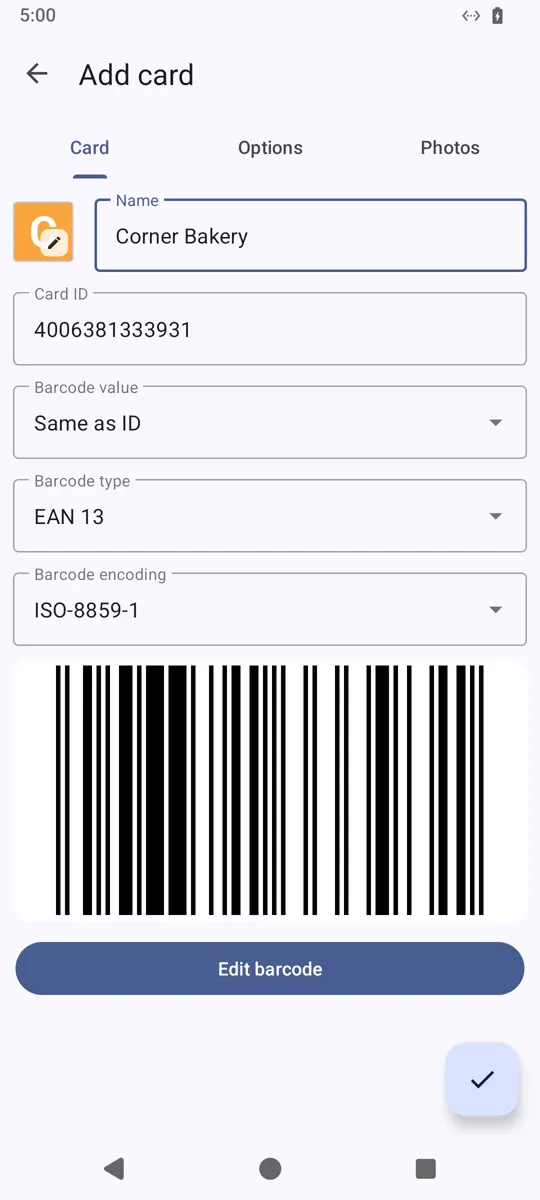
8  [tap "Image EAN 13 barcode", wait 1500]         → ok, Add card: Name, Card ID 4006381333931, type EAN 13
9  [type "Corner Bakery" into "Name", wait 800]    → ok
10 [tap desc "Save", wait 1500]                    → ok, the card list: Row "Corner Bakery"
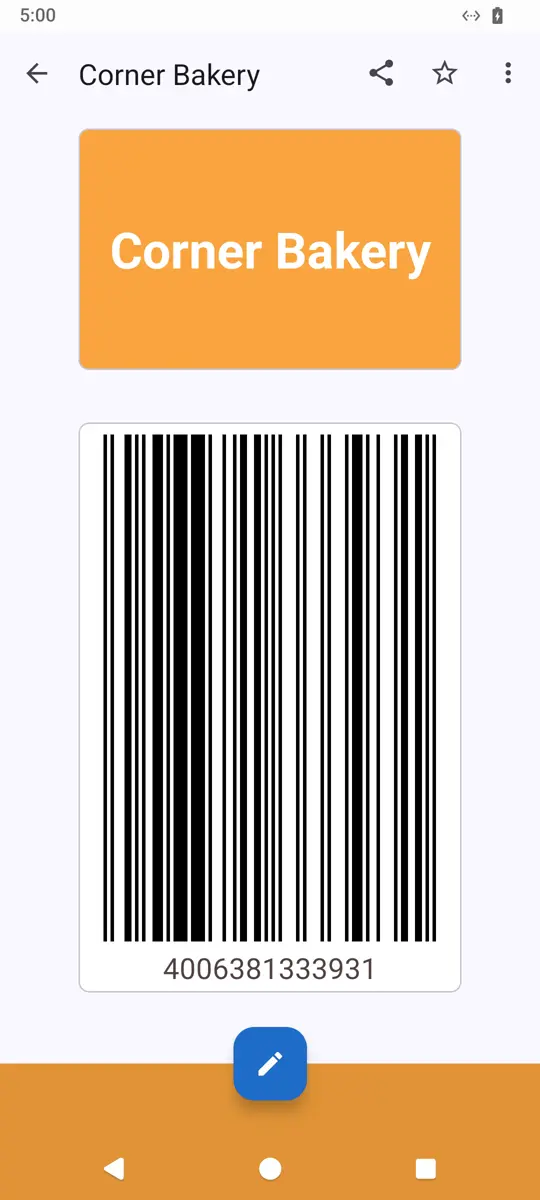
11 [tap "Corner Bakery", wait 1500]                → ok, Image desc="Image EAN 13 barcode", Text "4006381333931"
Call 11 is the check: the saved card opened from the list, with the number printed under its barcode.
Screenshots
- Catima’s Add card screen before saving: Name Corner Bakery, Card ID 4006381333931, Barcode value Same as ID, Barcode type EAN 13, and the barcode preview
- The saved Corner Bakery card in Catima: an orange header with the name and an EAN-13 barcode with 4006381333931 under it
What failed or surprised us
- Nothing missed. All 11 calls succeeded on the first try: Catima names every button and every barcode preview, and each screen said what to do next.
- Saying no to the camera was the right answer. Catima asks for the camera before anything else. A cloud phone has none, so allowing it would only have led to the same “Couldn’t access the camera” screen. Denying it went straight to the way that works without one. Permission choices like this one are the subject of Android permission dialogs.
- Pick the barcode type from what Catima draws. The manual screen shows the typed number as every barcode type it can make (Aztec, Code 39, EAN 8, EAN 13 and more); the agent picks the one matching the card. A 13-digit retail number is EAN 13. Catima warns that a card’s printed number can differ from its barcode’s value, so with a real card, check the type and value against the card.
- Not tested: a photo of the card. Catima also reads a barcode from an image in the gallery. With
push_fileyour agent could put a photo of your card in the phone’s Downloads for it to pick; we didn’t run that path.
Time and cost
1 min 38 s from create_phone to delete_phone. Billed: 79 s at $0.01 a minute, $0.013. The 11 act calls took 40 s.
Keeping the cards
A deleted phone takes the cards with it. Two ways to keep them: park the phone instead of deleting it (parked phones are free, and the app and its data wait for the next run; see park and resume), or have the agent export them from Catima’s ⋮ menu and fetch the file with pull_file, for the Catima on your own phone to import (we didn’t run the export).
License
Catima is free software under the GNU GPL v3 (F-Droid page). Your loyalty programme’s own terms still apply to the card you add.
Copy-paste prompt
Use Mobilebox. Create a phone named cards. Install Catima from https://f-droid.org/repo/me.hackerchick.catima_1006.apk and open it. Add a card: deny the camera, choose More options, then "Enter the barcode manually". Card ID 4006381333931, barcode type EAN 13, name "Corner Bakery". Save it, open the card from the list and tell me the number under its barcode. Take one screenshot of the card, then park the phone so I keep it.The prompt parks the phone to keep the card; ask it to delete the phone instead for a one-off test.